Spiga

Bookmark and Share   
  • Gordy family - The Gordys are an African-American family of businesspeople and music industry executives born to Georgia-reared parents Berry "Pops" Gordy, Sr. and Bertha...

UCWEB

UCWEB is a web browser for mobile devices such as mobile phones. UCWEB is now ranked #1 in the Chinese mobile web browser market, with over 60 million accumulated users and over 10 billion page views per month by November 2008.

http://en.wikipedia.org/

ThunderHawk (web browser)

ThunderHawk is a mobile web browser from Bitstream available for a full range of operating systems in high end (Windows mobile and Symbian browsers) and mass-market (Java browser) mobile phones and PDAs. It is basically meant for mobile operators and original Equipment Manufacturers and not meant for download for users.

Unlike most browsers, ThunderHawk does not re-purpose or reformats the content, and provides a desktop-like view of the web page. Data is transmitted to the mobile phone in a compressed transport format, i.e., the visible web page regions (text) are received first, while the rest of the images and other data are automatically transferred in the background.

ThunderHawk (web browser)

Version history

Bitstream announced the ThunderHawk technology first on June 6, 2001 in Cambridge. The official beta release went off on October 9, 2001 and included enhancements as improved readability, speed, and usability. Sonera, wireless carrier in Finland included the beta release of Bitstream’s web browser technology in Sonera Pilot Program to offer hands-on testing of new UI conventions for future mobile applications.

Later, in the same year, December 17, 2001 Bitstream announced the Wireless Web browsing solution with HP for its HP Jornada PDA customers. The first full-featured Wireless Web Browser for Pocket PCs was released on May 20, 2002.

Standards Supported

AJAX, DHTML Level 1, DOM Level 1, DOM Level 2, CSS Level 1, CSS Level 2, Frames, HTML 4.01, HTTP 1.0, HTTP 1.1, HTTPS 128-bit encryption, Feeds (RSS, ATOM, RDF), Image formats (BMP, GIF, JPEG, PNG, PJPEG), XHTML Basic, XML 1.0, ECMA Script, WML, WAP 2.0.

Functionality

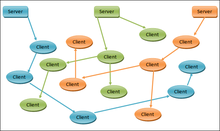
When a subscriber uses ThunderHawk to access the Web, the ThunderHawk client residing on the handset communicates with the server. The server receives a connection from the client and requests an HTML Web page from the Internet. Upon receiving the requested page, the server renders the content on-the-fly and compresses the graphics. The server sends the requested HTML page in a compact transport format to the subscriber’s handset.

ThunderHawk (web browser)

ThunderHawk can run on any handset that offers MIDP 2.0, CLDC 1.0 and/or CLDC 1.1 software. The browser uses Bitstream's patented technologies for mobile browsing. To display digital content on a small screen device, ThunderHawk accesses the Web site, lays out the content at a virtual pixel resolution and then displays a part of the layout at a smaller display resolution. The displayed content is at a scaled-down resolution size and includes text composed from font bitmaps having character shapes, sizes, and pixel alignments selected to improve readability.

Split-Screen Mode

ThunderHawk allows browsing in the combined overview and magnified view of a web page. The split screen magnifier makes it easier to browse the Web pages in their original format on the small screen of a mobile device. The floating magnifier over the overview area, available with both Zoom-In and Zoom-Out mode aids in finding information and navigating the Web sites. Bitstream holds the patent rights for this split-screen technology.

Rendering Modes

ThunderHawk can show the Web page content in various user enable modes including, overview only, magnified only, and a re-flown single column text view.

Features

* Supports viewing of AJAX pages that are written using ECMA-262/JavaScript 1.5 standard.
* Supports full HTML browsing on the Java/J2ME, Symbian, or Windows Mobile phone.
* Includes HTTPS 128-bit encryption, providing a secure transmission of confidential data.
* Customizable options: A "split screen/full screen" feature that eliminates the need of excessive scrolling. The "History" and "favorites" lists provide fast access to your favorite sites.
* Offers a choice of viewing the mobile version or the desktop version of a Web page.
* Provides image quality control options (low, medium, or high) that reduce the data transferred. The better the quality, higher the color depth and information each image will contain, and more the amount of data transfer. As the quality decreases, the image rendered will have less color depth and information, and hence lesser the download bytes.
* Persistent cookie support, with cookies stored on the server, which decreases the data transfer time.
* Validates certificates for https sites; if there are certificate problems, informs the user and gives the choice to continue browsing the site.
* Incremental rendering that sends visible Web page region first, while the rest of the images and other data are automatically transferred in the background.
* Support to submit web forms and view drop down menus on a mobile device.
* Native character support, ability to view web sites in multiple languages (Western and Eastern European).
* Allows choosing the content size with 5 different levels of magnification.
* Support to bypass or view popup windows.
* Supports playing videos for player-enabled handsets.
* Based on platform capability, ability to use smoothened or monochrome fonts.
* Supports both landscape and portrait viewing

http://en.wikipedia.org/

Teashark

Teashark

Teashark is a mobile web browser for Java MIDP 2.0. It is a browsing client which works in cooperation with the Teashark servers which transcode (and partly pre-renders) websites and then sends the results to the mobile device, like Opera Mini. Such 'transcoding' is not necessarily faster (as this is extra overhead) than 'direct' browsing like most phones built-in browsers or Opera Mobile does, particularly when Wi-Fi, UMTS or HSDPA is used as data transfer medium. It supports Javascript as long as no interactive actions are used like popup menus or timed events. It features a preview based history, tabbed browsing (up to 3-4 pages open at a time), a list of all visited pages like desktop browsers and a nice bookmarking capability. Moreover it uses an AppleWebkit / Linux user agent which allows viewing full web sites rather than limited mobile sites what other mobile browsers do.

http://en.wikipedia.org/

Steel (web browser)

Steel (web browser)

Steel is a freeware web browser developed by Michael Kolb under the name kolbysoft. It is a fork of the default browser for Android, taking its WebKit-based layout engine and providing what is intended to be an easier and more "touch friendly" user interface.

Steel was one of the first Android applications to support automatic rotation based on the hardware's accelerometer and a virtual keyboard. This feature is now more common among Android applications. It is currently in Alpha, and its current stable release in the Android Market is 0.1.7.

Steel (web browser)

Features

Steel's UI is intended to be more "touch friendly" than that of Android's default browser, and thus emphasizes ease of use on a touch screen. Back, Forward, Zoom, and Bookmark-related buttons are all on the bottom toolbar. A URL-entry box is on the top toolbar, and beside it is a Refresh/Stop button, which displays if a page is fully loaded or still loading, respectively. Both toolbars are only shown if "pulled out" by two semi-transparent handles at the top and bottom of the display, and after a short period of not being used will hide themselves again. Until 0.0.4, Android's status bar containing system information was only shown when the top toolbar was out. Starting in 0.0.4, it is either visible or not depending on whether the browser is set to run in fullscreen mode.

Hardware controls

Steel will switch between portrait and landscape modes based on which way the device running it is rotated. By contrast, the Android default browser at the time of release required the user to "Flip Orientation" in a menu or, on the T-Mobile G1, open the phone's keyboard.

In an attempt to avoid opening the aforementioned keyboard when possible, Steel has a virtual keyboard which appears when a user selects a text box or the URL entry box in the toolbar. It is modeled after that of the iPhone, and as of version 0.0.4 causes the device to vibrate when a key is successfully pressed.

Reception

Steel's first public release received a 3-star rating from AppVee, praising its user interface and accelerometer support but pointing out that it was not at its current stage an application to rely on completely.

Shortly after the release of 0.0.3, which added multiple features including the virtual keyboard, on December 13, 2008, Steel became the second most popular Communication app in the Android Market, with an average rating of 4 (out of 5) stars from users.

In May 2009 an Android Tapp review gave the Steel Browser a 4.5/5 rating saying that it had a "hands down a better UI for the browser."

http://en.wikipedia.org/

Skyfire (web browser)

Skyfire (web browser)

Skyfire is a mobile web browser for Windows Mobile 5 and 6 and Symbian S60 v3. On May 27, 2009, version 1.0 was released.

It is the first browser software for Windows Mobile which can view Adobe Flash content and streaming video.

In Skyfire, a webpage is fully rendered by a server separate from the mobile device, similar to the operation of a thin client. This approach is also used by Opera Mini, and is usually faster and supports better rendering techniques.

How it works

Skyfire is a web browser which operates by rendering requested web pages on a server using the Gecko rendering engine before sending the rendered output to the browser. The output is sent as images annotated with interactive items such as links and text-fields.

Consequently, the browser is able to use features from a fully-featured desktop web browser without the need to have a powerful mobile device. Features such as Adobe Flash, Silverlight and QuickTime are usable without additional plug-ins on the device, and can be easily updated server-side without the need to update the client.

Supported Devices and Platforms

* Windows Mobile 5, 6, 6.1 AT&T 8525, HTC Touch Diamond, HTC Fuze, Treo 750
* Symbian OS, Nokia Eseries and Nseries running Symbian S60, 3rd edition

For a complete list of devices visit the support site

Awards

* 2008 Read Write Web's one of six must have applications for Windows Mobile
* 2008 Laptop Magazine's Mobile Maverick Award
* 2009 Webby People's Voice Award for Best Mobile Application

http://en.wikipedia.org/

Skweezer

Skweezer

Skweezer is a Mobile HTML Transcoder for users of handheld devices such as personal digital assistants and mobile phones. Skweezer reformats and compresses web content in order to reduce a web page's file size and makes the downloaded content easier to view on a small screen . Skweezer was developed by Skweezer, Inc. (f.k.a. Greenlight Wireless Corporation) and initially released in 2003. Skweezer's technology is used to mobilize Web content service by search engines, Web portals, and wireless carriers such as IAC/InterActiveCorp , Bloglines , and Orange SA . Currently Skweezer is available in English, French, German, Italian, Portuguese, Spanish, and Japanese languages and serves customers in over 175 countries worldwide .

Mobile browsing innovations

Skweezer has introduced several mobile browsing innovations since its inception, including the first:

* Portal-based transcoding engine: Skweezer (2003)
* Globally distributed mobile advertising platform: Skweezer Ads (2004)
* Pagination system that splits large Web pages up for viewing on cell phones (2005)
* Mobile Web page translation feature (2005)
* Portal-based mobile RSS reader (2005)
* "Find in page" search that carries Web search keywords into search result pages (2007)

Controversy

In 2004 Skweezer became the subject of controversy in the Blogosphere when blogger Jason Calcanis objected to advertisements being placed by Skweezer on transcoded versions of blog content . A debate ensued over the legality and propriety of proxy-based services such as anonymizers and transcoders placing ads against other publishers' content and the scope of coverage under "fair use" copyright protection. While this is a subject that is still under debate, Greenlight Wireless stopped placing ads on transcoded content in early 2005.

Skweezer has also blocked WebTV and other TV internet surfing devices on the basis that it is not intended for web browsing but it allows web browsing from computers using Skweezer

Awards

* 2008 Smartphone & Pocket PC Magazine's Best Software Awards: Winner - Pocket PC Internet: Web Compression Service
* 2007 MobileVillage Mobile Star Awards: Gold Star - Consumer Software: Mobile Web Content Aggregator / Portal
* 2007 PDA Friendly Website Awards: Winner - PDA Home Page category
* 2007 Smartphone & Pocket PC Magazine's Best Software Awards: Winner - Pocket PC Internet: Web Compression Service
* 2006 MobileVillage Mobile Star Awards: Gold Star - Personal Software: Mobile Web Content Provider category
* 2005 MobileVillage Mobile Star Awards: Gold Star - Personal Software: Mobile Web Content Provider category
* 2005 Smartphone & Pocket PC Magazine Best Software awards: Finalist - Browsers & Web Utilities category

Competitors

* Google Mobile site
* BareSite.com
* Mowser
* IYHY

http://en.wikipedia.org/

Safari (web browser)

Safari (web browser)

Safari is a web browser developed by Apple Inc. First released as a public beta on 7 January 2003 on the company's Mac OS X operating system, it became Apple's default browser beginning with Mac OS X v10.3 "Panther". Apple has also made Safari the native browser for the iPhone OS. A version of Safari for the Microsoft Windows operating system first released on June 11, 2007 supports Windows XP, Windows Vista, and Windows 7.The current stable release of the browser is 4.0.3 for Mac OS X and Windows. Safari had a 4.24% market share in September 2009.

Safari (web browser)

History and development

Until 1997, Apple Macintosh computers had shipped with Netscape Navigator and Cyberdog only. Internet Explorer for Mac was subsequently included with Mac OS 8.1 onwards as the default web browser, as part of the five year agreement between Apple and Microsoft. However, Netscape Navigator continued to be included. Microsoft released three major versions of Internet Explorer for Mac that were bundled with Mac OS 8 and Mac OS 9. Microsoft subsequently released a Mac OS X edition of Internet Explorer 5, which was included as the default browser in all Mac OS X releases from Mac OS X DP4 until Mac OS X v10.2.

On January 7, 2003, Steve Jobs announced that Apple had developed their own web browser based on KHTML rendering engine, called Safari. They released the first beta version that day and a number of official and unofficial beta versions followed, until version 1.0 was released on June 23, 2003. Available as a separate download initially, it was included with the Mac OS X v10.3 release on October 24, 2003, as the default browser, with Internet Explorer for Mac included only as an alternative browser. Since the release of Mac OS X v10.4 on April 29, 2005, Safari is the only web browser included with the operating system.

In June 2005, after some criticism from KHTML developers over lack of access to change logs, Apple moved the development source code and bug tracking of WebCore and JavaScriptCore to OpenDarwin.org. WebKit itself was also released as open source. The source code for non-renderer aspects of the browser, such as its GUI elements, remains proprietary.

Safari 2.0 was released on April 29, 2005, and runs only on Mac OS X v10.4.x or later; this version was touted by Apple as possessing a 1.8x speed boost over version 1.2.4.

In April 2005, Dave Hyatt, one of the Safari developers at Apple, documented his progress fixing bugs in Safari to get it to pass the Acid2 test. On April 27, 2005, he announced that his development version of Safari now passed the test, making it the first web browser to do so.The changes were not initially available to end-users unless they downloaded and compiled the WebKit source code themselves or ran one of the nightly automated builds available at opendarwin.org. However on October 31, 2005, Apple released version 2.0.2 of Safari that included the Acid2 bug fixes.

On January 9, 2007, Jobs formally announced Apple's iPhone, which uses a mobile version of the Safari browser. It now features the same JavaScript engine, "Nitro," as its desktop counterpart in iPhone OS 3.0.

Safari 3

At the 2007 Worldwide Developers Conference, Jobs announced Safari 3 for Mac OS X v10.5, Windows XP, and Windows Vista. During the announcement, he ran a benchmark based on the iBench browser test suite comparing the most popular Windows browsers, hence claiming that Safari was the fastest browser. Although third-party tests of HTTP load times suggest that Safari 3 was indeed the fastest browser on the Windows platform in terms of initial data loading over the Internet, it is actually tied with Internet Explorer 7 and Firefox when comparing loading from caches.

The initial Safari 3 beta version for Windows, released on June 11, 2007, had several known bugs and a zero day exploit that allows remote execution. The addressed bugs were then corrected by Apple three days later on June 14, 2007, in version 3.0.1 on Windows. On June 22, 2007, Apple released Safari 3.0.2 to address some bugs, performance issues and other security issues. Safari 3.0.2 for Windows handles some fonts that are missing in the browser but already installed on Windows computers, such as Tahoma, Trebuchet MS, and others. There is also a guide that allows the software to run under Linux with Wine. The final release of the Windows version, Safari 3.1, was offered as a free download on March 18, 2008.

In June 2008, Apple released version 3.1.2, addressing a security vulnerability in the Windows version where visiting a malicious web site would force a download of executable files and execute them on the user's desktop.

Safari 4

On June 2, 2008, the WebKit development team announced SquirrelFish — a new JavaScript engine that vastly improves Safari's speed at interpreting scripts. The engine is one of the new features in Safari 4, released for developers on June 11, 2008. The final revision of the JavaScript engine was marketed as "Nitro." A public beta of Safari 4 was released on February 24, 2009, with new features such as a "Top Sites" tool, similar to Opera's Speed Dial feature that displays the user's most visited sites in a 3D world. Cover Flow, a feature of Mac OS X, was also brought into Safari. While in the public beta, tabs were placed in the title bar of the window, similar to Google Chrome, the tab bar was moved back to where it used to be, below the URL bar, in the final release. For the Windows version, Safari adopted a native theme, rather than the previous Mac OS X look employed. On June 8, 2009, Safari 4 was officially released. Safari 4.0.1 was released for Mac on June 17 and fixed problems with Faces in iPhoto '09. Safari 4 in Mac OS X v10.6 "Snow Leopard" has 64-bit support, which can make Javascript loading up to 50% faster. It also has built in crash resistance unique to Snow Leopard, crash resistance will keep the browser intact if a plug-in like Flash player crashes, the other tabs or windows will be deemed unaffected.

Safari (web browser)

Features

Safari offers most features common to modern web browsers such as

* Tabbed browsing
* Bookmark management
* A resizable web-search box in the toolbar which uses Google on the Mac and either Google or Yahoo! on Windows
* Pop-up ad blocking
* History and bookmark search
* Text search
* Spell-checking
* Expandable text boxes
* Automatic filling in of web forms
* Built-in password management via Keychain
* Subscribing to and reading web feeds
* Quartz-style font-smoothing
* The Web Inspector, a DOM Inspector-like utility that lets users and developers browse the Document Object Model of a web page
* Support for CSS 3 web fonts
* Support for CSS animation
* Support for Transport Layer Security protocol (version unknown)
* Bookmark integration with Address Book
* ICC color profile support
* Inline PDF viewing
* Integration with iPhoto photo management
* Mail integration
* Ability to save webpage clips for viewing on the Apple Dashboard
* Private browsing

On Mac OS X, Safari is a Cocoa application. It uses Apple's WebKit for rendering web pages and running JavaScript. WebKit consists of WebCore (based on Konqueror's KHTML engine) and JavaScriptCore (based on KDE's JavaScript engine named KJS). Like KHTML and KJS, WebCore and JavaScriptCore are free software and are released under the terms of the GNU Lesser General Public License. Some Apple improvements to the KHTML code are merged back into the Konqueror project. Apple also releases additional code under an open source 2-clause BSD-like license.

It includes a built-in web feed aggregator and supporting the standards RSS and Atom. Other features include Private Browsing (a mode in which no record of information about the user's web activity is retained) which has become the origin of the now popular term "porn mode" for web browsers), the ability to archive (using the proprietary .webarchive format) and e-mail web pages, and the ability to search bookmarks.

Beginning with Safari 4, the address bar has been completely revamped.

* The button to add a bookmark is now attached to the address bar by default.
* The reload/stop button is now superimposed on the right end of the address bar.
* The blue inline progress bar is replaced with a spinning bezel and a loading indicator attached to it.

These modifications make Safari look somewhat like Safari on iPhone.

Safari (web browser)

In addition, Safari 4 includes the following new features:

* Top Sites, which displays up to 24 thumbnails of a user's most frequently-visited pages on startup
* Cover Flow browsing for History and Bookmarks
* Nitro JavaScript engine that executes JavaScript up to eight times faster than Internet Explorer 8 and more than four times faster than Firefox 3
* Native Windows look on Windows (Aero for Windows Vista, Luna for Windows XP) with standard Windows font rendering
* Support for CSS image retouching effects
* Support for CSS Canvas
* Speculative loading, where Safari loads the documents, scripts, and style information that is required to view a web page ahead of time
* Improved developer tools, including Web Inspector, CSS element viewing, JavaScript debugger and profiler, offline table and database management with SQL support, and resource graphs
* Support for HTML 5
* Completely passes the Acid3 standards test

iPhone OS-specific features

iPhone OS-specific features for Safari allow for

* MDI-style browsing (with up to 8 pages open concurrently, limited by cache storage).
* Pressing on an image for 3 seconds to save it to the photo album.
* Bookmarking links to particular pages as "Web Clip" icons on the Home screen.
* Opening specially-designed pages in full-screen mode.

System requirements

The latest version of Safari requires either a Mac, running Mac OS X v10.4.x or later, or a PC, running Windows XP SP2, Windows Vista, or Windows 7. Official minimum hardware requirements are any Intel processor or a PowerPC G3, G4, or G5 with 256MB of RAM for Mac or a 500MHz Pentium processor with 256MB of RAM. Cover Flow and Top Sites, however, requires a graphics card with 64MB or greater of video memory.

64-bit builds

The version of Safari included in Mac OS X v10.6 is now complied in 64-bit. Apple claims that running Safari in 64-bit mode will increase rendering speeds by up to 45%. However, there is currently no 64-bit build for Mac OS X v10.5 or below, Windows XP, Windows Vista, or Windows 7.

Criticism
Distribution through Apple Software Update

Apple Software Update, which is bundled with QuickTime and iTunes in Microsoft Windows, defaults to select installation of Safari even when it is not detected on a user's machine. John Lilly, CEO of Mozilla, stated that Apple's use of its updating software to promote its other products is "a bad practice and should stop." He argued that the practice "borders on malware distribution practices" and "undermines the trust that software companies are all trying to build with users." Apple has responded to Lilly's statement, saying that the company is only trying to ensure users have the latest updates to Safari, Apple also released a new version of Apple Software Update that puts new software in its own section, although still selected for installation by default. In another update, Apple Software Update no longer selects install items in the new software section by default (as of late 2008).

On September 22, 2009, Apple once again checked "Install Safari 4" as a default setting with their update to iTunes v9.0.1.

Browser exploits

In the PWN 2 OWN contest at the 2008 CanSecWest security conference in Vancouver, British Columbia, an exploit in Safari caused Mac OS X to be the first to fall in a hacking competition. Participants competed to find a way to read the contents of a file located on the user's desktop, in one of three operating systems — Mac OS X Leopard, Windows Vista SP1, and Ubuntu 7.10. On the second day of the contest, when users were allowed to physically interact with the computers (the prior day permitted only network attacks), Charlie Miller compromised Mac OS X within two minutes, through an unpatched vulnerability of the PCRE library used by Safari.

In the PWN 2 OWN contest in 2009, an as yet unidentified exploit in Safari allowed Charlie Miller to hack into a Mac in approximately 10 seconds. Apple released a patch for this exploit and others on May 12, 2009 in version 3.2.3.

End-user license agreement

The original end user license agreement for Safari on Windows was self-contradictory for several months, reading in part:

This License allows you to install and use one copy of the Apple Software on a single Apple-labeled computer at a time.

As personal computers running Windows are usually not Apple-labeled computers, with the exception of Intel-based Mac computers running Windows, it was impossible for most users of Windows to use the software and abide by the license agreement. Within hours of the story breaking, Apple changed the agreement to read:

This license allows you to install and use one copy of the Apple Software on each computer owned or controlled by you.

Updates through Apple Software Update still contained the old license.

Safari on iPhone autofill features

Autofill has been added for Safari on iPhone OS 3.0, to save the user from having to fill out forms manually. The disadvantage of this feature is that it may lead to identity theft if the iPhone is stolen and a passcode has not been set to lock the iPhone. Surfing on the ipod is limited.

Safari cache failure

Safari's cache system fails to retain large byte sized file for immediate display. Sites that have individual content such as Adobe Flash SWF files or large JPG files will not retrieve them from the browser's cache, but instead will download the content again from the server. A simple browse away from the page and an immediate return to the same page results in any large sized content to be reloaded.

http://en.wikipedia.org/